
Disclaimer
This article provides information about configuring Intella Assist with Azure OpenAI. It does not provide information on how to configure Azure OpenAI itself.
Please refer to the screenshot below. Starting from the top:
- Service: Select Azure OpenAI.
- Model (ID): Enter the name of the deployment configured in your Azure AI environment, where the LLM model is configured. You may need to contact your Azure environment administrator to obtain this information.
- API Key: As above, you will need to obtain the API key from your Azure configuration or from your Azure environment administrator.
- Service Endpoint URL: Enter the URL according to the provided example.
To test the connection simply click Test Integration located below the form. If the connection is successfully established, you will receive the following message:
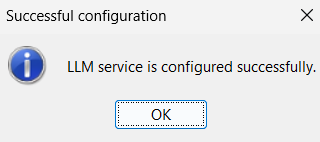
In case of any errors or issues, follow the error messages to troubleshoot the problem. Extended logging may be required.
For more information, please refer to the following KB FAQ article:
https://support.vound-software.com/help/en-us/3/191
For more information, please refer to the following KB FAQ article:
https://support.vound-software.com/help/en-us/3/191